If necessary, you can disable spam check.
To disable spam checks
| 1. | Open MIMEsweeper for SMTP Policy Editor and navigate to the MIMEsweeper for SMTP Scenarios node. |
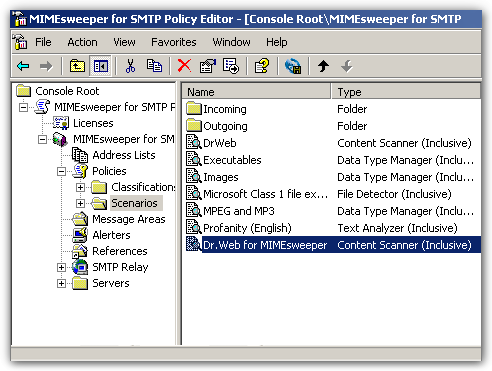 |
| List of scenarios |
| 2. | Right-click the Dr.Web Content Scanner scenario and select Properties. |
| 3. | On the Data Types tab, select Exclude selected data types, then expand the Containers node and clear the SMTP message option. |
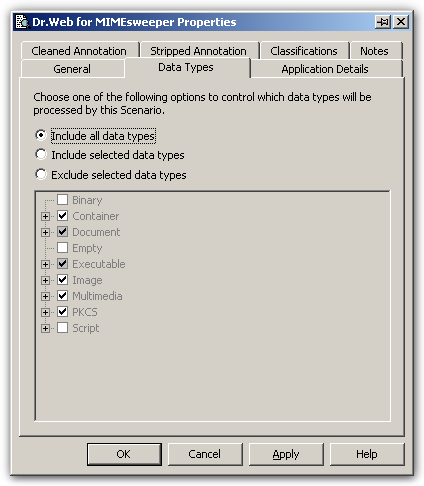 |
| Data Types Tab |
| 4. | Click OK. |
| 5. | On the toolbar, select Save MIMEsweeper Policy  . . |