Dr.Web FixIt! allows you to create mutual relations between spaces, so that you can share tasks with members of other spaces. It can be beneficial for organizations that have multiple spaces for different divisions.
Only an administrator can add related spaces. Managers and users can share tasks with related spaces added by an administrator.
1.In the top navigation panel, click  Management.
2.On the Spaces tab, select a space, you want to add a related one to.
3.At the top right of this space page, click the  Related spaces button.
4.On the Related spaces page, click  .
5.In the Add space pop-up, select one or more spaces you want to set as related and click Add.
6.On the Management page, the icon appears to the right of the related space names.
After that, managers and users of both spaces will be able to mutually share tasks.
To view a list of related spaces
1.In the top navigation panel, click Management.
2.On the Spaces tab, select a space to see its related spaces.
3.At the top right of this space page, click the Related spaces button.
4.A list of related spaces for this space is displayed.
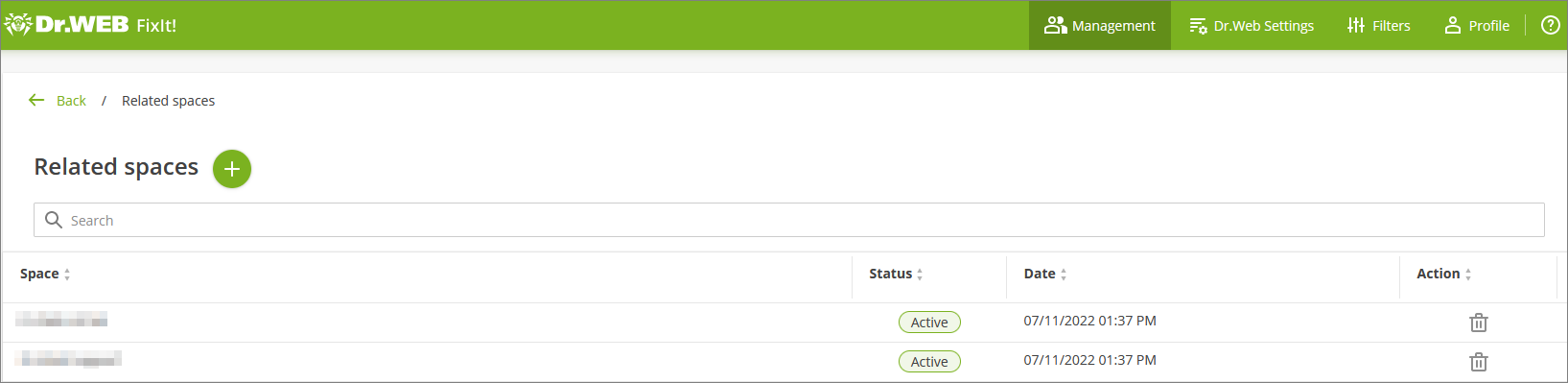
Figure 2. Related spaces