Device info panel shows a map with the location of the family member’s device at the moment of the latest location request and short information about the device status: battery charge, internet connection type, and whether the silent mode is on. Tapping the panel opens screen where you can request device location and view request history.
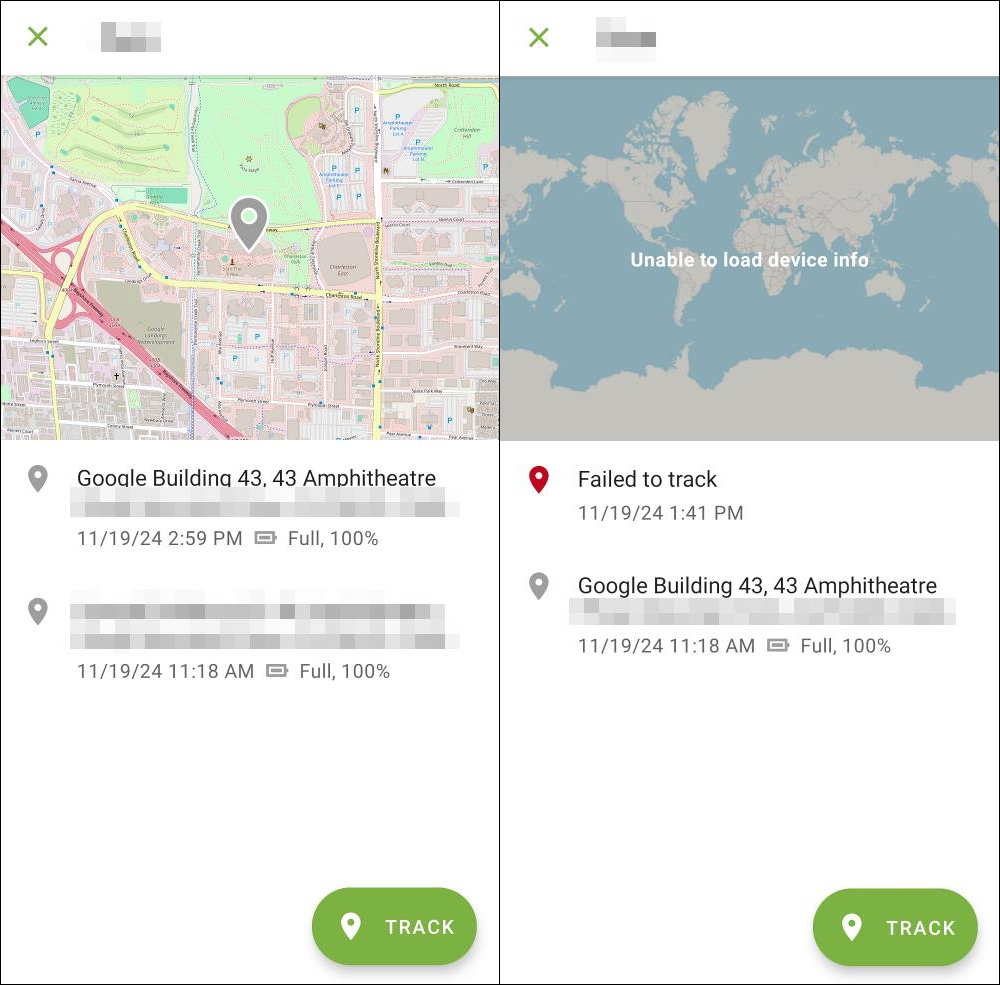
Figure 12. Location screen when location tracked successfully (left) and when tracking failed (right)
To track device location
1.Tap the Device info panel
Location request screen opens.
2.Tap Track.
While Family Security is getting the info, you can continue working with the app or minimize it. After some time Family Security will receive the info about the family member’s device.
If the family member’s device is turned off or has no internet connection, you will see an error message (see Figure 12). When the device is connected to the internet, the info will update and you will receive info on family member’s device location and status.