You can log in to family member account on family manager’s device and vice versa. To do so, open the Menu  in the top-right corner of the app main screen, choose Account and tap Switch role.
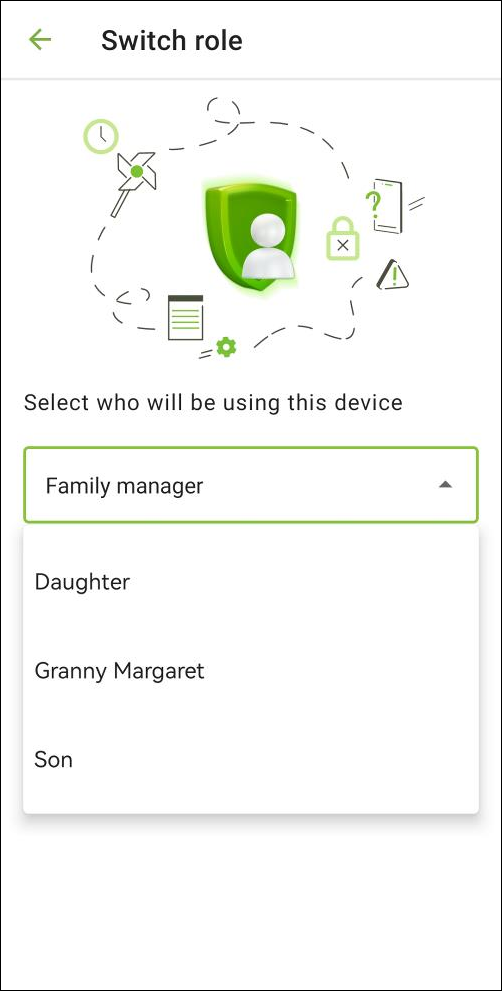
Figure 2: Switch role screen
Enter your password to log in to family manager’s account.
Enter family member’s PIN code to log in to this family member’s account. Only those family members who has not logged in on another device are shown on the role list. If the family member logged in to their account on another device before, you should uninstall Family Security from the family member’s device or reset the PIN code before switching roles. If the family member plans to continue using another device, after returning to family manager role reset the PIN code again and send it to the family member.
You cannot switch between two family member accounts.
When you log in to family manager account on family member’s device, you can work with components of Family Security. You can add, remove or change limitations for the family member.
When you log in to family manager account on family member’s device, the following functions on the main screen are not available:
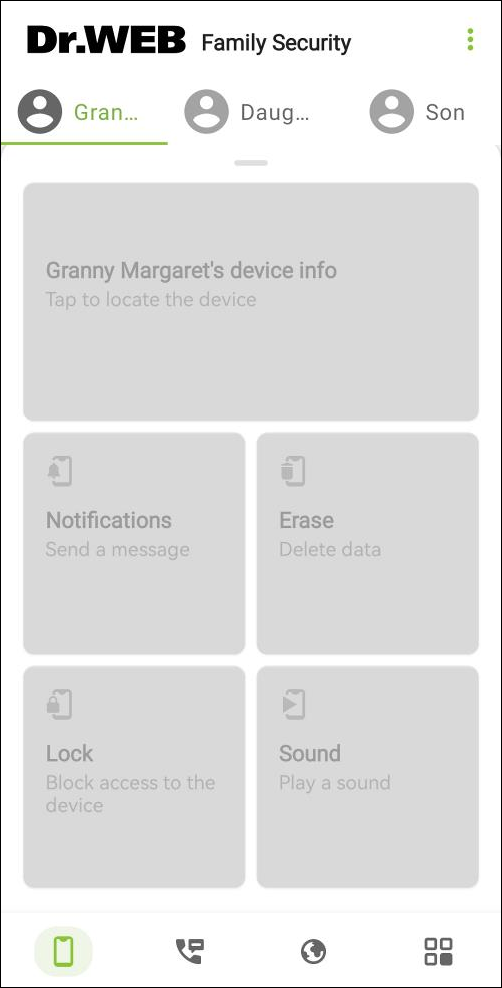
Figure 3: Unavailable functions